
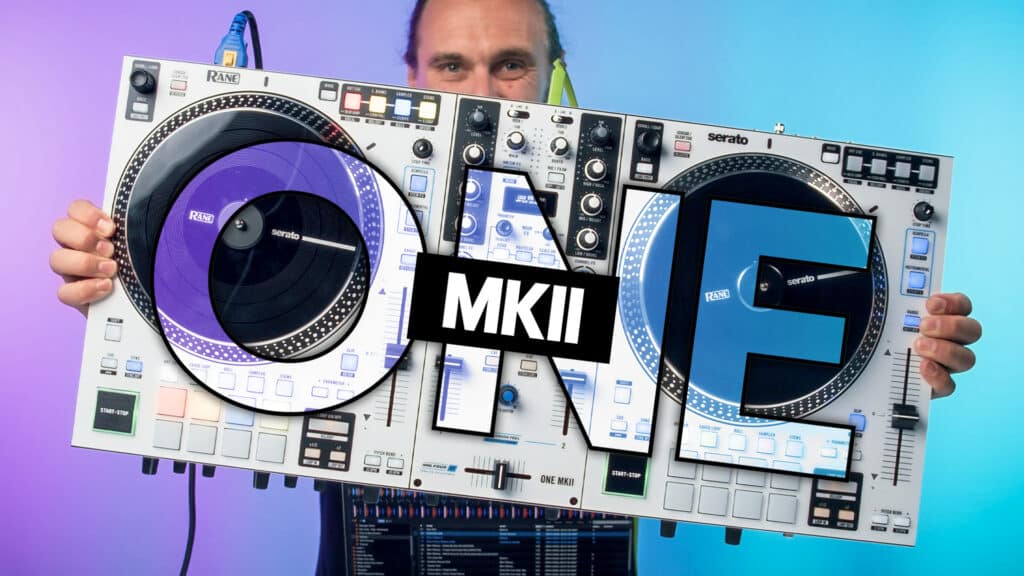
When we first got our hands on the all-new Rane One MKII, it took a while to figure out what had changed compared to the original Rane One, other than the shiny new white finish. We loved the original model, so there’s no need to mess things around too, but given how the DJ tech landscape has evolved since, a few modern updates are very welcome.
At its core, Rane have kept much of the winning formula of its predecessor, including the rock-solid build and awesome motorised platters. However, once you take a closer look at the buttons and scratch under the surface at the feature set, there’s plenty of new stuff going on that makes this a serious step up and a much more capable, modern bit of kit.
Let’s dive into what’s new and whether it’s worth the upgrade.
Rane One MKII Video Review
Hardware
In terms of build, the MKII is broadly similar to the previous generation but that’s a good thing as, like with most Rane gear, the build quality is exceptional and it really feels like a proper professional bit of kit. There are a couple of new things to note, however.
Faders
The volume faders have been upgraded for a smooth and light precision feel, with customisable cut-ins, curves and tension. Pop open the caps and faceplate and then you can move the internal magnets and set your feel.
Adjustable jog tension
One other welcome change is that Rane has slipped in a nice new touch with the inclusion of slipmat washers. They sit underneath the slipmats and take a little resistance off the platters. It’s a bit like the jog adjust on CDJs in that you can take it from a tighter feel to a lighter, looser spin, but of course, you can’t change it on the fly. For a controller whose big selling point is the motorised platters and real vinyl feel, this seems like a pretty major upgrade, even if it’s just down to a couple of tiny metal washers.
Connectivity
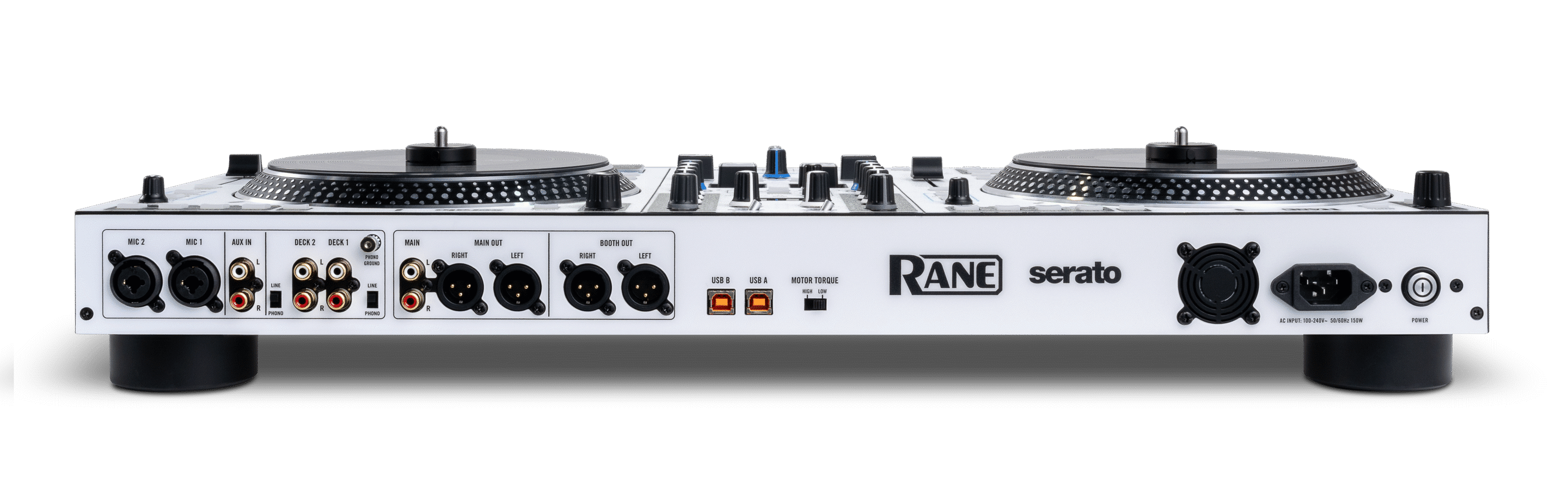
The inputs and outputs on the back have remained largely unchanged on this model, which does mean you’ve still got two USB-A ports rather than the more modern standard of USB-C, but this isn’t a deal-breaker. Audio-wise, we’ve still got XLR and RCA outputs and a pair of RCA inputs for hooking up external gear, allowing you to use this as a standalone mixer.
Mixer Upgrades
Another big change with the MKII is the inclusion of 29 internal hardware FX, displayed on a dedicated OLED screen, which should mean you don’t have to constantly look at your laptop. Alongside these are four knob-controlled channel FX, giving you quick access to popular effects directly on the mixer. You can even assign FX to the up faders, meaning that as you move these up and down, they also apply effects to your tracks.
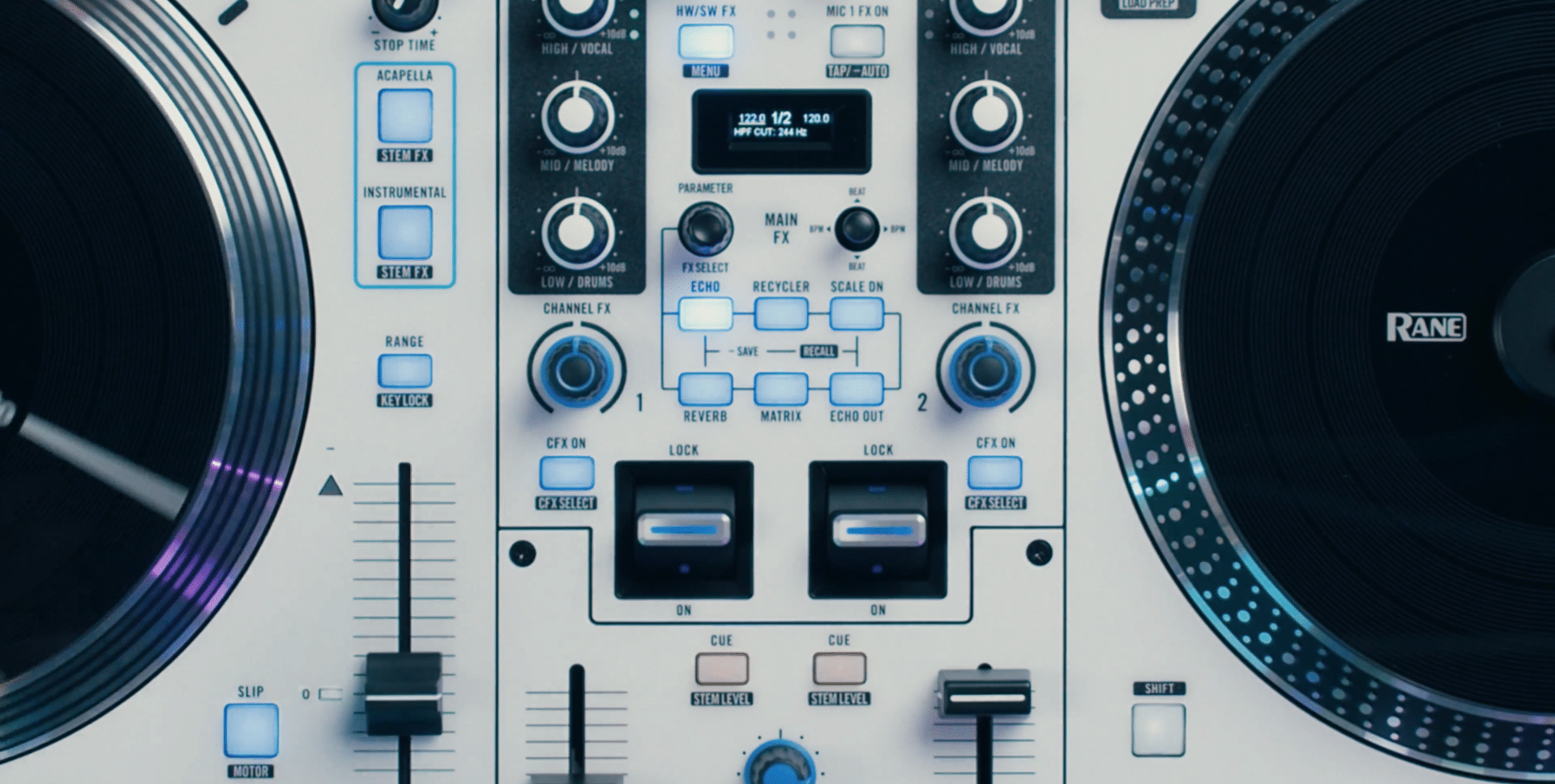
There’s also a new dedicated Sampler volume knob, making it easier to balance sample playback against your main mix, and Microphone 1 now has hardware-controlled reverb and echo FX.
Secondary Pad modes
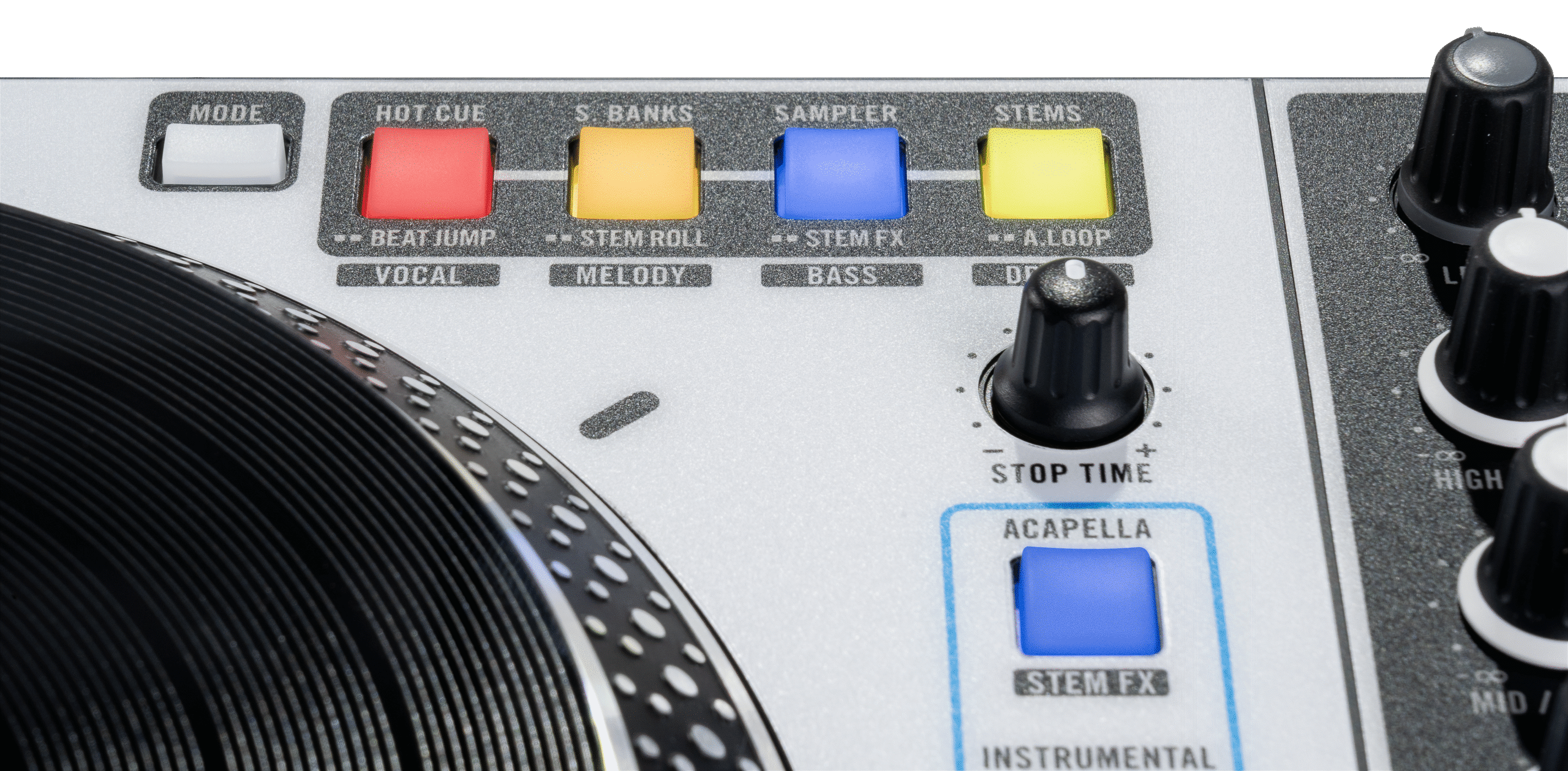
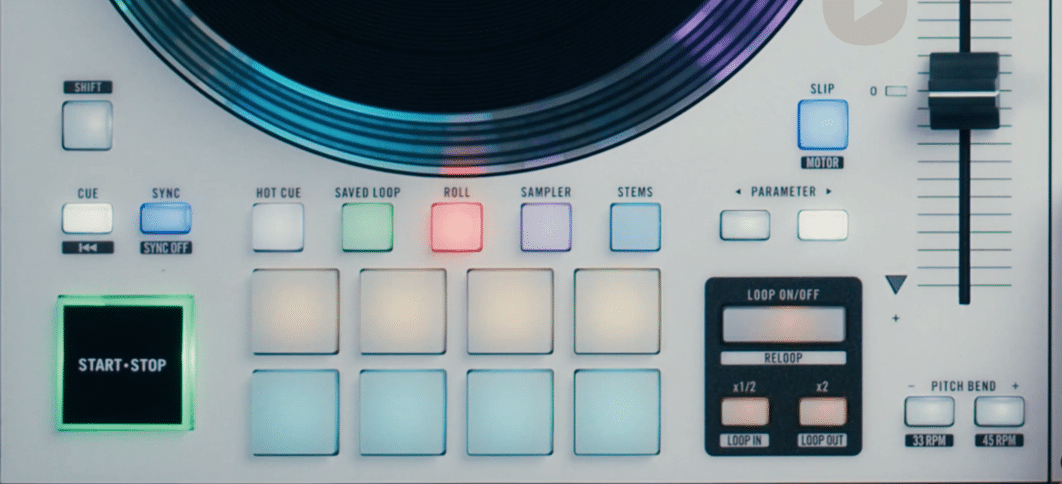
One of the biggest subtle upgrades is the set of secondary pad mode buttons tucked into the top corners. On the MKII, you had to dive into the menus in Serato to switch pad banks, which was pretty slow and laborious. Hold the mode button, then press once to access the top options, which are the classics from the original, including Hot Cues or Scratch Banks, or you can tap twice to reach the secondary function. These secondary slots now give you the options to use Beat Jump, Stem Roll, Stem FX and Auto Loop.
Stems Features
The big headline news when it comes to the Rane One MKII is how it’s built around stems. This probably isn’t a major surprise, given how ever-present and powerful stems have become in recent years, but they’ve been applied here in an interesting way that really lets you get creative with them. You could work around some of this on the old model by MIDI mapping it in Serato, but now it’s all natively built in, and it’s far more intuitive, powerful and easy to use.
There are now five new ways that you can control a track’s stems on the Rane One. Let’s break them down:
Stems Pad Mode
This is the most straightforward approach, where you can instantly mute or isolate vocals, melody, bass, or drums. This is great if you want to quickly swap out parts of a track or make edits and remixes on the fly with just one press of a button, without having to jump into the Serato menus.
Stem Roll Mode
Stem Roll takes this further by letting you individually loop and roll each of the stems of a track. Now, when this is selected, the top pads let you pick one of the stems, and the bottom pads will roll them in whatever beat length you pick, while leaving the rest of the track playing as normal. One thing that makes this even more powerful is that you can choose whether to have this as momentary or latched, meaning the loops can only play when you’re touching the button or keep going even when you let go.
Stem FX Mode
Stem FX lets you apply dedicated effects just to individual track stems. You can decide which elements of a track you want affected, then apply things like echo out, roll out, breaker, or delay only to those parts, while the rest stay clean. This feels much more powerful than just applying effects to the whole track, especially if you’re doing something like putting an echo-out on a vocal while leaving the instrumental running, or chopping up just the drums with a breaker. You can also adjust the beat divisions with the parameter buttons.
Quick Acapella & Instrumental Buttons
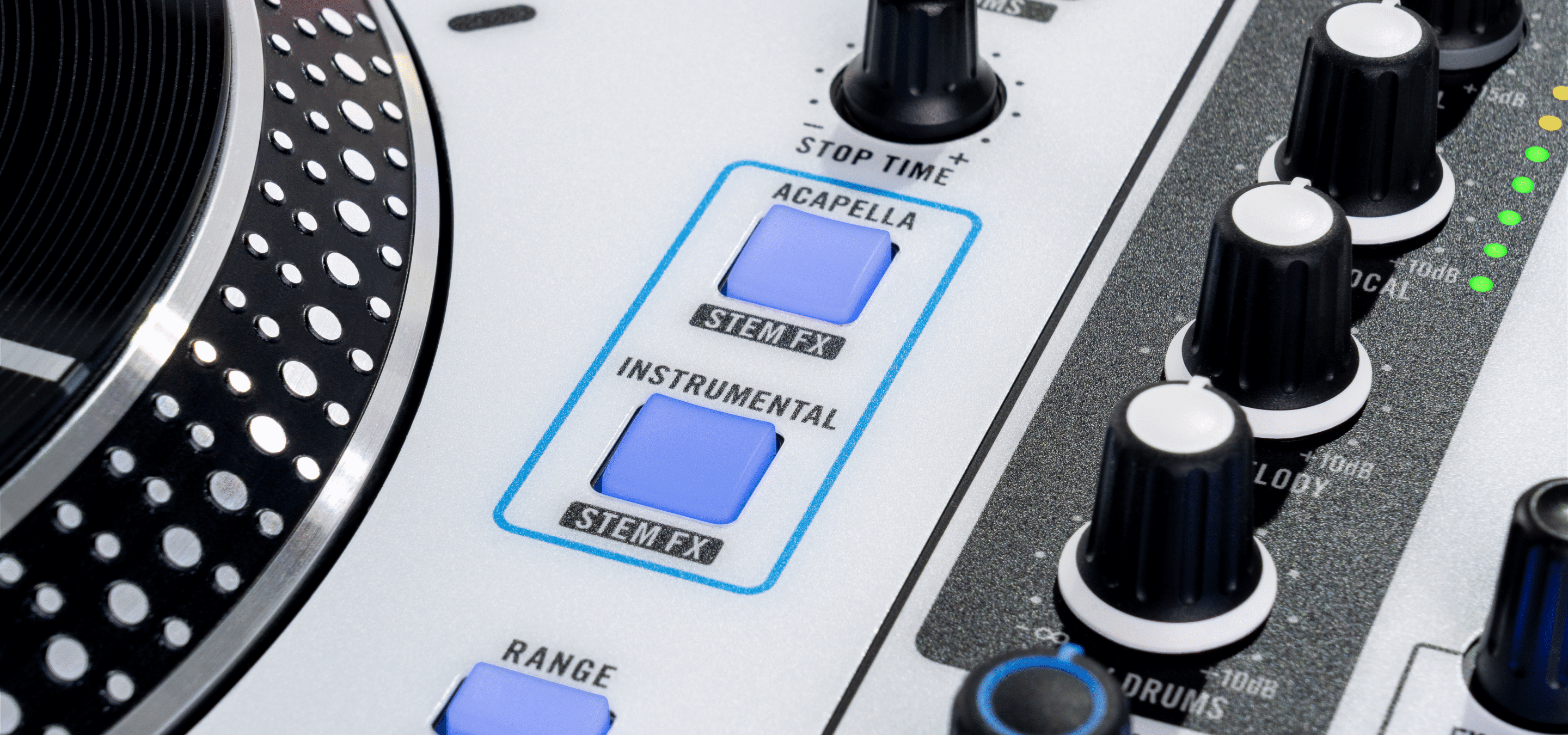
There are now two new dedicated buttons that let you quickly isolate just an acapella or an instrumental from a track, rather than having to mess around muting all the other elements. By default, these cut away either the vocal or the backing track instantly, but you can also switch them to apply an echo-out for smoother transitions.
Stem EQ Mode
The final new option is Stem EQ, which repurposes the three-band EQ knobs to control stems instead of frequencies. These can now control the levels of the drums, melody and bass, and, instead of switching them on and off, you can gradually blend them in and out
Is It Worth Upgrading?
Right from the moment you get your hands on this, it’s clear this is serious pro-level gear. The overall build, combined with the sheer amount and depth of the creative tools on offer, makes this one of the top DJ controllers on the market.
Open format and scratch DJs, especially, will love the vinyl-like feel of the platters and, combined with the new high-tech stems features, it feels like a bit of a best-of-both-worlds fit. The only slight issue is that, for beginners, the amount of controls on offer may well be overwhelming but this clearly isn’t the target market.
At £1349 / $1499 / €15,99 the MKII is priced very competitively against other pro-level DJ controllers. The closest competitor would be the Pioneer DDJ-REV7, which comes in at £1829 / $1899 / €2049. This also offers quality vinyl-style rotating platters, but, as it’s a few years older now, doesn’t come with all the fancy new stems features.
The other bit of gear you’ll naturally compare this to is Rane’s flagship controller, the Performer. The main step up is that it is a full-on 4-channel controller with the same quality rotating platters you find here. You also get displays on these platters, which should save a bit of looking back and forth at your laptop. It has got a few stems tricks up its sleeve, but these aren’t quite as in-depth as the newer Rane One MKII. However, if you want four decks to give you a bit more creative freedom, this is one of the best controllers on the market.
Compared to the previous model Rane One, this is a real step up, and it’s not just a white faceplate put on the old model. If you’re already using the old model, whether or not it’s worth the direct upgrade really comes down to how much use you’ll get out of the stems features. If they’re something you think you’ll get a lot of use out of, this will completely transform the way you mix.
Learn to DJ with Serato
If this awesome new Rane controller has you itching to get DJing with Serato, our courses have you covered. You’ll learn how to get the most out of gear like this and dive deep into some of the more creative tools on offer, including stems, so you can add some real flair to your mixes.
Or if you want to put these vinyl-style platters through their paces and get scratching, we’ve got you covered with courses breaking down everything you need know, from the basic techniques through to some show-stopping tricks.
8.5 hours 47 lessons Intermediate
Serato DJ Course
5.8 hours 63 lessons Creative
The Ultimate Scratching Course