
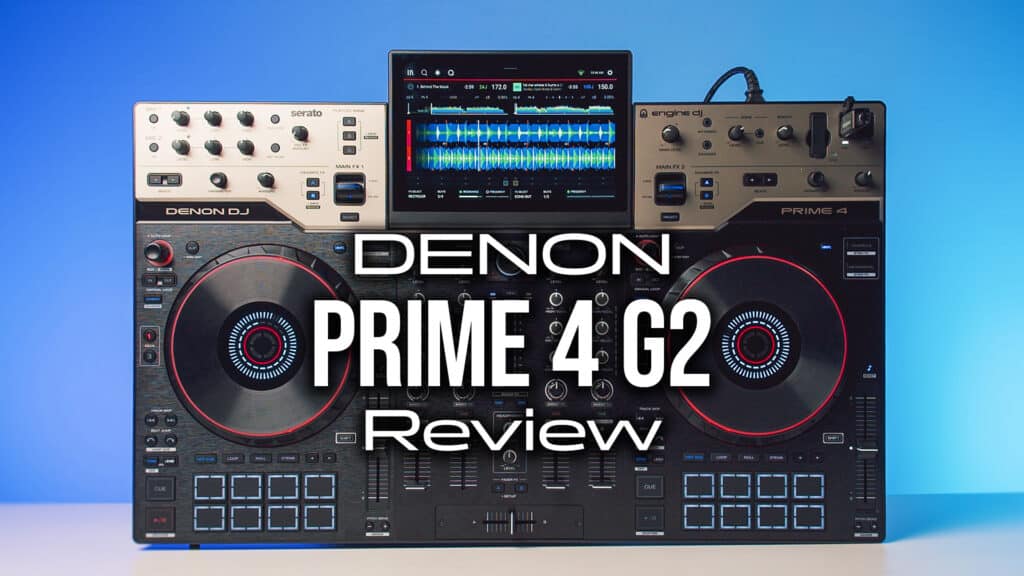
When Denon launched the original Prime 4 back in 2019, it changed the game for standalone DJ gear, and meant that you could still have 4-deck power and creative tools, while leaving your laptop at home.
Now, Denon have just released its successor, the Prime 4 G2, which takes a huge leap forward, bringing onboard real-time stems, multi-zone MPCe 3D performance pads, and a workflow that’s really designed to let you get creative in your live sets.
At £2,299.99 ($2,599 / €2,699.99), it’s putting serious pressure on rivals like the AlphaTheta XDJ-AZ and could become a go-to pick for event DJs after a portable rig. Let’s break down whether it actually lives up to all this hype in our real-world testing.
- Price: £2,299.99 / €2,699.99 / $2,599
- Release Date: 1/9/26
- 4-channel flagship standalone DJ system powered by Engine OS
- 10.1-inch tilting HD touchscreen with a solid physical kickstand
- Akai MPCe 3D performance pads with velocity and pressure sensitivity
- RANE-powered onboard standalone stem isolation and playback
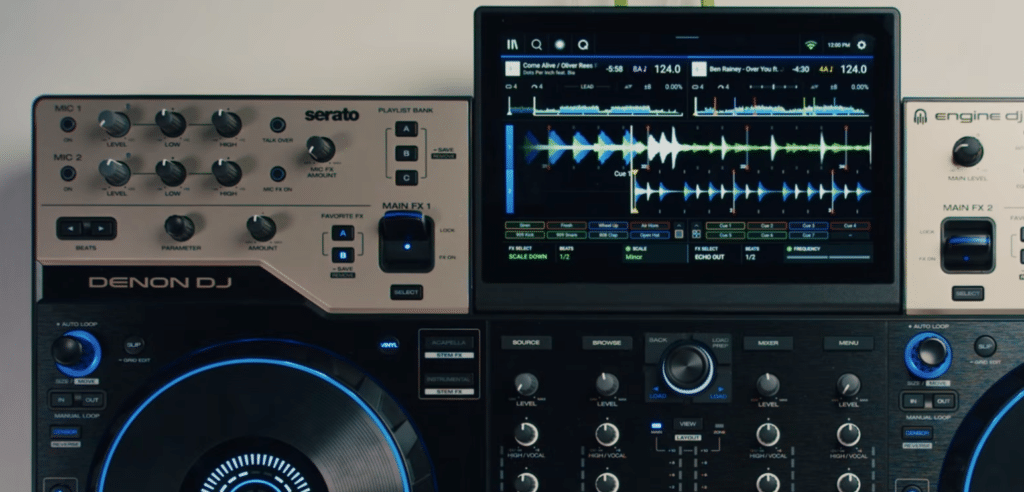
- Battle-style FX paddles with dedicated Sweep FX and Touch FX
- In-jog displays with real-time stem feedback and RGB LED touch rings
Video Review
Design and Build
At 76 cm wide and weighing 9.9 kg, the Prime 4 G2 feels like it sits in that sweet spot for portable gear where it’s big enough to feel substantial and easy to mix on, but it’s not going to be a nightmare to carry to gigs.
It is noticeably easier to haul around than heavyweights like the AlphaTheta XDJ-AZ (which clocks in at 13.5kg and is physically larger), but Denon hasn’t squashed the controls to achieve that. The central mixer section feels open and spacious, with enough room around all the buttons and knobs, so you’re not too cramped working across four decks.
Build quality is properly premium and this thing is clearly designed to withstand the harsh life of touring DJ gear. The whole top section of the unit is also finished in a matt metal plate which is a nice premium touch. Despite all the rugged design choices, it’s still quite luxurious and sticks to the classic Denon look.
There’s also an interesting little quirk about the faders as well. Denon have side-mounted the fader tracks beneath the casing rather than placing them directly under the open slot. This stops all the dust, fluff and spilled drinks that normally end up wrecking your faders away from all the internal electronics.
Decks and Jog Wheels
The jog wheels are another area where Denon has given us a major upgrade. We now get proper 8-inch touch-capacitive jog wheels that sit raised off the top panel. Instantly, this feels a lot closer to proper club-standard CDJ setups than the 6-inchers on the previous Prime 4, and scratching and beatmatching are a much better experience here. The only thing we think is really lacking here is having adjustable tension.
Another awesome upgrade to these jogs is the central display on each wheel, which ties straight into the new stems workflow (which we’ll get to). It shows you dedicated icons for vocals, melody, bass, and drums (or grey icons for unrendered tracks). Around each platter, you also get an RGB LED ring that changes colour when you touch it, which is a nice bit of visual feedback.
Denon have kept the rest of the deck layout just as practical. Even though Engine OS handles plenty through the touchscreen, you don’t have to dive into on-screen menus to change basic stuff. You get physical buttons to switch between decks 1 and 3 or 2 and 4, alongside tactile controls for pitch range, slip mode, reverse, vinyl mode, beat jump, and track skip.
The 10.1-inch HD touchscreen dominates the centre of the unit, and it remains one of the sharpest displays on any standalone rig. What makes the real difference in a live set, though, is the little kickstand built underneath. You just tilt the screen up, and the stand keeps it in place so it doesn’t wobble when touched. It makes for a nice change being able to easily see everything from your standing DJ position without having to bend over to look at a flat screen.
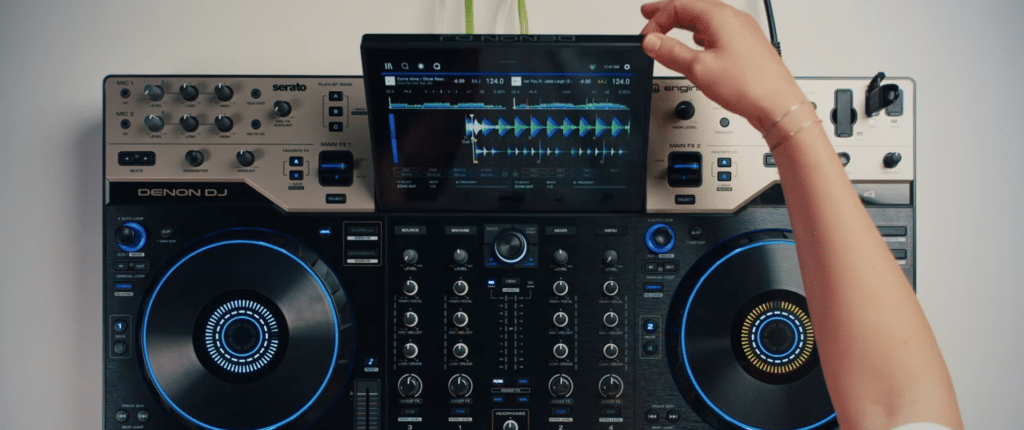
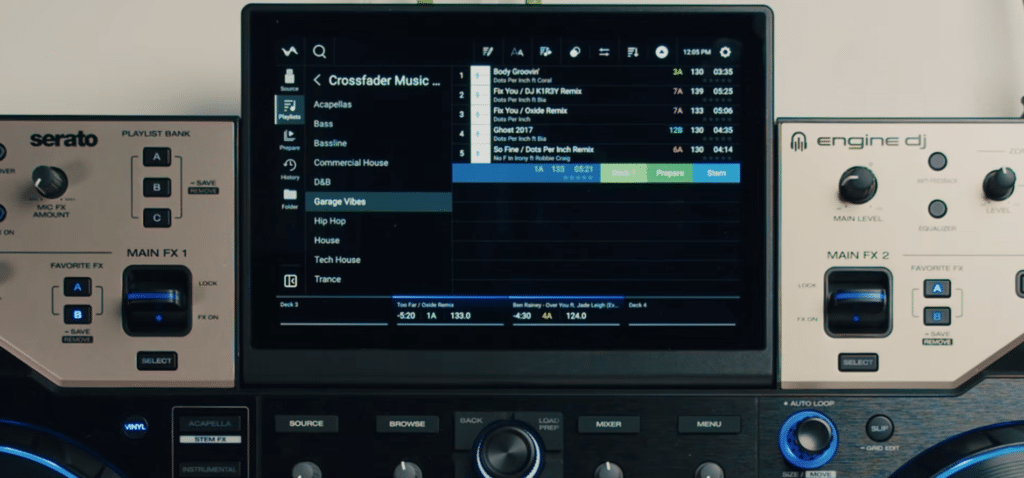
When you’re performing, the multi-touch screen responds instantly to gestures. A single tap switches you between a clean two-deck view and stacked four-deck waveforms, so you can see what’s going on with all the tracks at a glance. Browsing through big music libraries feels fluid as well, as the touch-scrolling and on-screen keyboard are nice and responsive.
Beyond navigation, the screen is also where you do all your deeper tweaks. Things like triggering Touch FX, adjusting crossfader curves, switching input sources, and dialling in independent 10-band EQs for the main, booth, and zone outputs are now all in digital menus.
Performance Features and Stems
The more creative side of DJing is definitely something Denon has focused on with this new launch, and there are a couple of changes that really make this a more powerful creative musical tool than previous versions.
MPCe 3D Performance Pads
Denon has borrowed tech from sister brand Akai Professional to completely redesign the performance pads. Traditional DJ pads act as basic on-off switches, but these MPCe pads detect both strike velocity and continuous 3D pressure depth. That means a single pad reacts dynamically depending on how hard you hit it, which corner your finger touches, and how much pressure you apply while holding it down.
This turns each pad into a multi-zone surface rather than a static button trigger:
- Tapping the four corners of a pad in Slip Hot Cue mode triggers different slip-loop lengths while jumping to your cue point.
- Holding Shift opens dedicated stem modes, splitting pads vertically to trigger cues or loops while isolating the acapella on the left or instrumental on the right.
- Double-tapping Roll gives you key-shifting slip loops on top and instant FX (like vinyl breaks, reverb rises, and echo outs) on the bottom.
- Double-tapping Stems turns the pads into an XY control surface, letting you modulate filters, flangers, and dub echoes by sliding your finger across the rubber.
Overall, it takes a fair bit of getting used to at first. Unless you’re already familiar with the MPC pads (or similar ones on gear like the new Ableton Push), it will feel weird not having them respond how you’d expect. But once you get over that fairly quickly, it can clearly open up some really cool creative possibilities.
Standalone Stem Isolation
The stem engine comes directly from RANE, letting you render tracks right on the unit without touching a laptop. You simply swipe left in your library and hit the stem button. Onboard rendering takes three to four minutes in the background while you keep mixing, and it saves the stem data permanently to your drive.
Each deck has physical Acapella and Instrumental buttons for instant mutes, plus a Shift shortcut to echo out either part. Holding Shift and pressing Cue flips your channel EQs into stem volume knobs, letting you tweak drums, vocals, and melody directly on the mixer pots. Audio separation sounds impressively clean, without much noticeable distortion or bleed.
Mixer and FX
The four-channel mixer feels open and spacious, giving you plenty of elbow room around the 3-band EQs and gain pots so you aren’t accidentally bumping adjacent knobs mid-transition. Down at the bottom, the crossfader has a reassuring weight.
Battle-Style FX Paddles
The biggest upgrade to the effects workflow has to be the physical performance paddles sitting right above the mixer, like you’d find on battle-style setups like a Rane One. Flicking a paddle up locks an effect on, while pulling it down gives you momentary bursts. Holding down a paddle for a quick delay snippet on a vocal jab feels much more natural and tactile than reaching up to twist a knob or tap a glass screen.
You can also target specific high or low frequency bands instead of washing out your entire mix. If you dial in a combination you love, holding down physical Favourite FX buttons A or B saves it for instant recall later in your set.
Sweep FX and Touch Control
Each channel strip features dedicated hardware knobs for four Sweep FX: Filter, Noise, Wash, and Reverb. The filter parameter is especially handy, as you can adjust it on screen to switch between a smooth, gentle sweep and a total frequency kill. If you prefer a more interactive approach, Touch FX lets you drag your finger across the main touchscreen to modulate effects live.
Mic Inputs and Zone Output
If you play mobile or event gigs, the mic setup is properly stacked. You get two XLR combo inputs with independent 3-band EQs, dedicated Echo and Reverb, automated talkover, and built-in anti-feedback. The second mic input even doubles as an instrument channel if you want to plug in a synth or guitar live.
The dedicated XLR Zone output solves a massive real-world headache at multi-room venues. You can route Deck 4 or an automated playlist out to a bar area or terrace, while mixing decks 1 to 3 in the main room completely independently. With a physical Zone Cue button and independent 10-band master EQs for both areas, you can tune both spaces during soundcheck without having to compromise on your main mix sound.
Connectivity, Streaming and Lighting
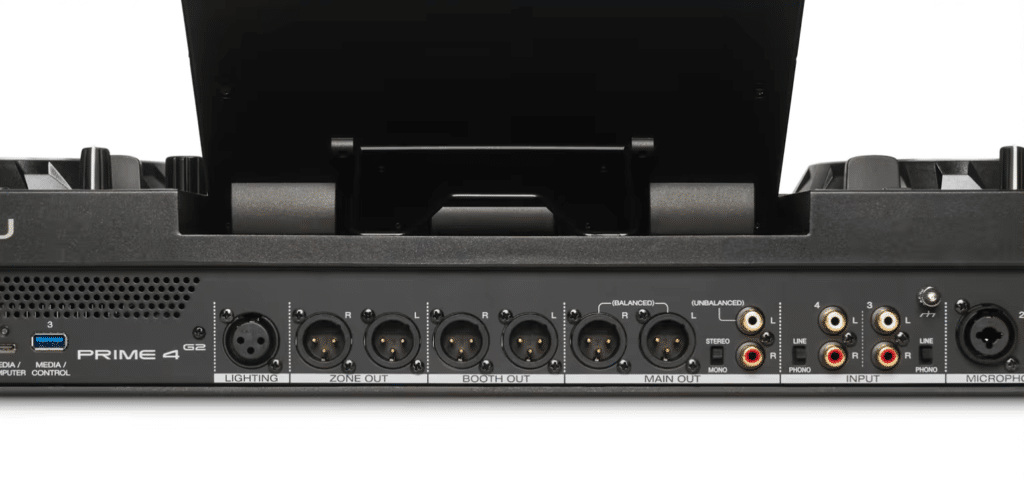
Around the back of the unit, you get plenty of options for plugging in media drives and external gear. For local music libraries, Denon have included:
- Two USB-A ports
- Two locking USB-C ports
- SD card slot
- Internal SATA 3.0 hard drive bay
Having that internal drive bay is a massive bonus for peace of mind. Keeping your core library installed inside means if a thumb drive fails mid-set, you’ve still got all those tracks to fall back on.
For streaming, built-in Wi-Fi gives you direct access to major platforms straight from the screen:
- Apple Music
- Amazon Music Unlimited
- Beatport
- SoundCloud Go+
- Tidal
Spotify isn’t integrated yet, though Denon have pencilled that in for early 2027. You also get Bluetooth connectivity, which could come in handy as a fall-back if those other options aren’t working or you get a last-minute request.
Finally, Denon have promised OmniSource landing via a software update later this year. This will let you run standalone Engine OS decks alongside laptop DJ software like Serato DJ Pro, Algoriddim djay, or VirtualDJ at the exact same time on one board, making back-to-back sets or switching software completely seamless.
Lighting
In another move aimed squarely at the event DJ crowd, Denon includes a bunch of top-notch lighting tools as well. Instead of having to carry an external interface box or running software off a laptop, the G2 has a physical DMX port built into the rear panel. This is driven on board by SoundSwitch Engine Lighting, so you can plug straight into a light rig and manage your show directly from the touchscreen. It also syncs wirelessly with smart lights like Philips Hue and Nanoleaf.
Is It Worth It?
Whether or not to get the Prime 4 G2 largely comes down to what you are playing on right now and where you gig most often.
If you own the original Prime 4 from 2019, upgrading makes total sense. The last 7 years since that came out have seen a lot of change in the DJ tech world, and this not only brings it up to date with the current landscape, with tools like stems, but actually pushes the boundaries of what’s possible, with things like the all-new 3D pads. Overall, these additions make it feel like an overall more creative tool that you’ll use to shape your mixes in more musical and interesting ways than before.
If you already own the Prime 4 Plus, the call is a lot tighter. The Plus already handles four standalone decks, streaming, lighting, and pre-rendered stems. What you are paying £2,299.99 for here is live stem rendering on the fly and those expressive 3D pads. If you mostly play prepared sets from your own library and rarely touch the pads beyond basic hot cues, stick with what you have got and save your money.
If you’re in the market for a new standalone DJ unit though, especially if you’re an event or function DJ who needs something to transport about, there’s not much better out there. It’s portable and ticks all the boxes (as well as a few boxes we didn’t even know you could tick…). There’s just one major competitor out there you’ll want to consider.
Denon Prime 4 G2 vs AlphaTheta XDJ-AZ
If you are weighing this up against the AlphaTheta XDJ-AZ, the main sticking point is going to be how attached you are to the classic club-standard layout. The XDJ looks and feels almost identical to the setups you’ll find in every club and venue around the world. So if you’re using your standalone during the week, and then gigging in venues on the weekend for example, the muscle memory is all there.
Beyond that, there are actually a couple of drawbacks to the AlphaTheta unit. At around £2,800, it’s quite a bit more expensive and doesn’t give some of the more advanced features like real-time stems or 3D pads.