
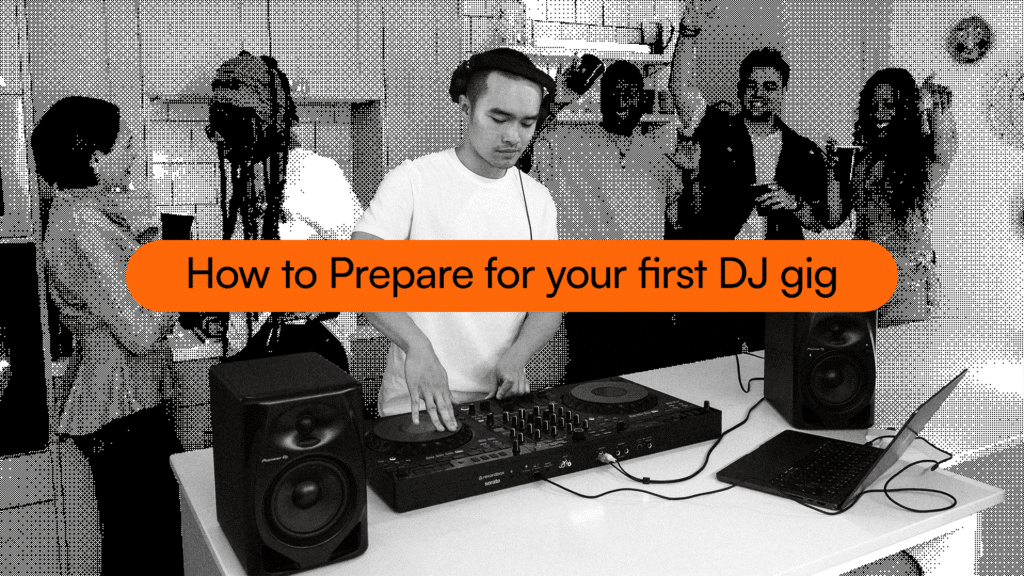
So you’ve just landed your first gig as a DJ. Fantastic news! Now the nerves have started, and you’re wondering what you’ve got to do to actually take that big step from the bedroom to the club.
To prepare for your first DJ gig, you need to curate a music library with 3x more tracks than you need, familiarise yourself with club-standard Pioneer CDJs, and understand the etiquette of what’s expected of you on the night.
Let’s dive into all those things so you’re ready to nail it when you step into the booth for the first time.
Are you ready?
If you’re anything like most beginner DJs, this is the question that’s already been swirling around your head. The imposter syndrome kicks into full gear, and you start worrying if you’re really worthy to be performing in front of anyone.
In truth, you’re probably more ready than you realise. Beginner DJs often overestimate how complex DJing needs to be and obsess over crazy techniques and transitions. For your first set, you’ll probably want to play it safer anyway and mainly go for mixes that you know you can pull off under pressure.
It’s super important to practice full-length sets at home. If you can consistently get through the length of your set at home without trainwrecking it, then you’ll probably be more or less alright on the night. What matters most is that you know that if you do mess something up, you can adapt and recover.
Sorting out your music
When you’re first learning to DJ, and you’re getting excited about all the new tricks and flashy transitions you’ve got up your sleeve, it’s easy to forget something truly fundamental. By far the most important thing that makes a great DJ is playing great tunes. That’s what the crowd will always remember.
Want to get your library properly sorted before your first gig? Read our complete guide to organising your USB.
A general rule of thumb that a lot of DJs go by is that you want at least 2-3 times the length of your set in prepared tracks. That gives you the flexibility to take the set in different directions if needs be, and you’re also prepared if you need to go a bit longer than planned.
As for the tracks themselves, you want to make sure that you’ve actually got them downloaded and you’re not relying on any streaming services. These may work fine when you’re practising at home, but in venues, the wifi can often be unreliable, and you may not be able to load your tracks.
You also want to get proper, high-quality downloads from legit sites. If, up until now, you’ve been using dodgy pirated tracks or YouTube rips, they may sound ok at home, but once you’re on big speaker setups, the low quality and lack of dynamics will sound awful.
How much to prepare
Often, DJs will be tempted to overprepare for their first gigs and plan out every single track and every transition between them. This is a classic symptom of the anxiety that obviously comes with this, but it leads to you not being able to react and change things up in the moment, which is a fundamental part of what makes DJing so special.
That said, you do want to prepare a few things to help everything go smoothly. You’ll want to at least have the first 2-3 tracks you play figured out beforehand, just so you can start to relax and get into the groove.
It’s also a good idea to have a few ‘blocks’ of tracks prepared, where you know what mixes well into what. This might be a track that takes the energy up or down, or just a fun transition. Either way, its the sort of thing that helps give you a bit of confidence and frees you up from constantly thinking about the next track.
Tutor
“Preparing for your first gig means having to let go (in a fun way). You can’t control everything—it’s all part of the journey! Here are some tips to help with the nerves:”
- Have 3x more music than you need – Don’t be limited by your library.
- Have a decent folder structure – House, Hip Hop, Warmup, Peak, etc.
- Talk to the venue – Speak to the manager or bar staff to know what you’re walking into.
- Don’t plan your set – Just stay organized and read the room.
Get to know the gear
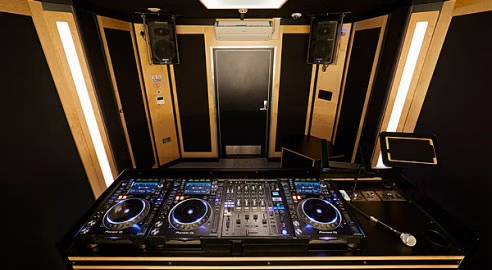
If you’re DJing in a proper professional club or venue, chances are they’ll have their own gear that you’ll be playing on. That’s almost always Pioneer CDJs, which probably means a whole new layout and a big step up in complexity from the controllers most beginners learn on.
You really want to find out exactly what their setup is beforehand and familiarise yourself with what all the controls do and how it differs from whatever setup you’re used to.
There are studios and practice rooms where you can try out CDJs and learn how they work. Pirate Studios, for example, let you book out a studio equipped with a full pro-level DJ setup, where you can get to grips with the gear and not worry about making mistakes. You absolutely don’t want the first time you touch a set of CDJs to be in front of a crowd.
CDJ Masterclass
Knowing your way around CDJs is a truly essential skill for any pro DJ, but the learning curve can be pretty steep when you’re first moving from controllers.
That’s why we made our ultimate CDJ masterclass. Here you’ll learn everything you need to know about how to use this club-standard gear, including the setup, controls and troubleshooting. If you’re just transitioning from a controller, this is must-know info.
What to bring
If the venue is providing the gear, you don’t need to bring much, just headphones and a couple of USBs. Note that we say a couple of USBs, as you’ll always want to make sure you’ve got at least one backup just in case you lose it, or it gets stolen or corrupted.
You’ll also generally be expected to bring your own headphones, and it’s really poor form to show up to a gig and expect to borrow someone else’s headphones.
If you’re playing a house party or another DIY sort of gig, you’ll have to bring all the gear yourself. That means your controller, laptop, speakers and all the cables as well. Don’t forget those cables, and if possible, bring spares as they have a habit of going missing or breaking at the worst possible time.
Understanding the warm-up
Unless you’re an already famous influencer who’s been shot straight to the headline slot (in which case, congrats), you’ll likely be playing in what’s known as the warm-up. This is earlier in the night, before the bigger acts come on, and the crowd are still trickling in and getting more energised and into the vibe.
You need to help set the mood of the place and gradually bring the energy up to match where the headliners want it to be later in the night.
That means you don’t want to be dropping loads of high-energy bangers early on while the crowd aren’t at that level. Instead, you’re laying the foundations and giving the later acts something to build on.
To really nail these warm-up sets, sometimes you’ve got to leave your ego at the door and accept that it’s not entirely about showcasing your biggest tracks and showing off in the flashiest way possible. You need to focus more on getting the job done and matching the vibe, as that’s what will actually get you booked again.
Remember to enjoy it
One of the biggest mistakes we see beginner DJs make is that they’re so focused on not messing up and getting the transitions right that they spend all night with their eyes glued to the decks. There are a couple of problems with this.
First off, as a DJ, you’re setting the mood for the whole room, and your energy is infectious. If you’re having a good time and dancing around, you’re encouraging everyone else to follow. The same goes if you’re static and aren’t engaging with the crowd. You can’t expect people to dance if you don’t lead by example.
Also, you need to look up from the decks to see how the crowd is doing. Being able to read the room, see how they’re feeling and adapt your music to fit is one of the core skills of being a DJ.
What to do when something goes wrong
First off, there’s a reason we say when something goes wrong, not if. Even for people who’ve done a thousand DJ gigs, there’s always the chance that something completely out of your hands can derail things. It might be loading a track onto the wrong deck, the CDJs not analysing your tracks like you thought they would, or maybe you just plain old mess up a transition.
It’s ok, we’ve all been there. The most important thing to remember is that, short of the sound going out completely, most people in the crowd won’t notice anywhere near as much as you’d imagine, and they’ll care even less.
Just try not to show it too much and wince every time something goes wrong. That’s a surefire signal to the crowd that there’s an issue when they probably didn’t even know before. Keep calm, move on and don’t let it derail you going forward. Even if people noticed (which they probably didn’t), they’ll have forgotten about it by the end of the next track.
Get the confidence to smash your first gig
When you’ve got your DJ skills completely nailed, you don’t have to worry about the mixing and can focus on picking the perfect tracks and making sure the crowd’s having a great time.
If you want to level up your skills, whether that’s on CDJs or a controller, we’re here to help. Our Complete DJ Package takes you through everything you need to know as a DJ, including mixing skills, transitions and crucial career advice.If you want to get started, you can sign up to Crossfader for free where you can build your personalised learning journey to help you meet your DJ goals and dive right into 2 free courses to get mixing right away.