
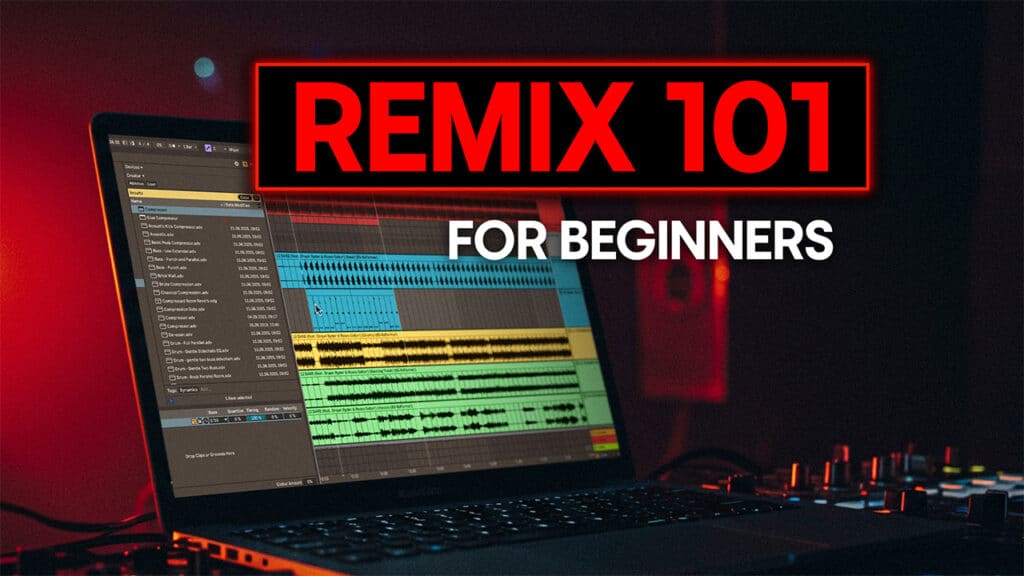
Remixing has always been one of the most important creative tools a DJ’s got. It’s how you move from simply mixing other people’s music to really building your own signature sound and making something that feels like your own. A remix uses a track you already know and love, takes some elements like the vocals or hooks, and rebuilds it around new drums, fresh sounds, and a club-ready groove.
It’s also one of the best ways you can learn how music actually works. By pulling apart a track and rebuilding it from the ground up, you get a great understanding of structure, energy, and how producers think when they create music.
In this guide, we’ll walk you through that process step by step so you can build your own remixes and give tracks your own spin.
Step 1: Choosing the right track
Every great remix starts with choosing the right track, whether that’s something well-known or a lesser-known gem that you love but isn’t quite hitting right.
You’re looking for a song that gives you something to work with. That might be a vocal hook, a distinctive riff, or a sound that grabs your attention straight away. Once you’ve got a strong focal point, it’s easy to imagine the rest of the remix building around it.
Finding or Creating Stems
To reshape a track properly, you’ll need access to its individual elements, known as stems. These are the separate parts that make up the song, like the drums, bass, instruments, and vocals. With these, you’re not limited to just editing simple or stripped-back tunes. Even dense, fully produced songs can work well once you isolate the parts you need and mute the rest.
There are a few simple ways to get them:
- Official remix packs. Many labels release these through sites like Beatport or Bandcamp, or can find them on remix competition sites like SKIO. They’re high quality and ready to use straight away.
- AI stem splitters. Modern tools like LALAL.AI, Serato Stems, and UVR can separate a finished song into drums, bass, vocals, and instruments in just a few minutes. The results are usually good enough for creative work. Drums and bass almost always split cleanly, and any light vocal artefacts can be smoothed out a bit with EQ or reverb once they’re in the mix.

Step 2: Set Up Your Project
Once you’ve chosen your track and prepared the stems, open a new project in your DAW and start getting everything in time.
Drag each stem into its own track in Arrangement View and line them up carefully so the first downbeat lands right on the grid. Zoom in and trim any silence at the start so everything hits together.

Set your project tempo to match the track you’re remixing, then enable warp on each stem so they stay locked in time even if you change the tempo later. This is especially useful if you decide to make your remix faster or slower once the groove starts taking shape.

Keep the session tidy while you work. Name each track clearly and use simple colour coding, like red for drums, brown for bass, blue for melodies, and black for vocals. It only takes a minute and makes navigation much easier once you start layering new parts.
When everything’s lined up, warped, and colour-coded, loop a short section to make sure it plays back cleanly. If it all sounds good, you’re ready to start making it your own.
Step 3: Build Your Groove
Now that your stems are lined up, it’s time to give your remix its own style, and the groove is what defines the character and feel of your track.
Create a few new MIDI tracks for your drums and load up a Drum Rack. Start simple with a solid kick pattern, as that’s what gives the track its drive, impact and pulse. Then add in the other elements like hi-hats or claps and percussion. This can either be done by drawing in the MIDI pattern you want or using pre-made loops. You can find plenty of great sounds on sites like Splice, or use the kits that come with Ableton.

Loop a short eight-bar section that includes the vocal or hook you plan to keep. Play your drum pattern against it and tweak until it feels natural. Listening in context helps you choose the right sounds and keeps the rhythm working with the track rather than against it.
At this point, resist the temptation to overdo the drums and build out too complex of a groove. You’ve got to leave space for the bass, vocals and other elements. You can always go back and add extra drum parts later in the project.
Once you have a basic beat, add a bit of swing using Ableton’s Groove Pool. Click the clip, open the Groove Pool on the left, and drag in a groove preset. Start around fifty to sixty percent and adjust until it feels right. A touch of swing will loosen the rhythm and make it feel more human.
Step 4: Add a Bassline
Once your drums feel right, it’s time to bring in the low end. The bassline gives your remix weight and movement, and it’s what makes the rhythm feel complete. Focus on getting the timing and groove right before worrying about sound design.
Start by working out the key of the track. The aim here is to make sure your bassline complements the existing musical parts rather than clashing with them. You can:
- Play the vocal or main hook and match the notes by ear in Ableton’s piano roll.
- Compare your results with another remix or a reference track in the same key.
- Look up the original song’s key online if you’re unsure.
Once you know it, you can turn on the Scale function in Ableton, so you only see notes that belong to that key. It’s great if you’re not as music theory minded as you can basically press any key and it’ll fit with the track.
Create a new MIDI track and load up one of Ableton’s bass synths from the library. Loop your drum section and start shaping a groove:
- Begin with notes that hit on the same beat as the kick.
- Add a few off-beat notes to bring movement and bounce.
- Shift some notes slightly forward or back from the grid to create a natural swing.

When your pattern feels solid, add a sidechain compressor and set it to trigger from the kick. This makes the bass duck slightly each time the kick hits, keeping the low end clear and giving your track that pumping effect.
Loop your drums and bass together until they feel like one rhythm. When the groove makes you instinctively nod your head, you’ve got the foundation of your remix. Everything else will build from there.
Step 5: Rework the Hook
With your groove locked in, it’s time to bring back the element that made the original track stand out. The hook is usually a vocal or a short melodic phrase, and it’s what gives your remix its recognisable core. Your goal now is to reshape it so it feels fresh while still keeping that connection to the source.
Start by dropping the hook stem back into your project and looping it with your drums and bass. Listen for how it sits in the mix. It might well work perfectly as is, but this can also be a great opportunity to play around with making it your own a bit.
In Ableton, the best way to experiment is to duplicate the track so you always have a clean copy to fall back on. Then start trying ideas:
- Chop short sections and rearrange them into new phrases.
- Loop a catchy moment so it repeats or builds tension.
- Use Cmd J to consolidate edits once you’ve found a groove that works.
- Automate a filter or reverb to build movement through a breakdown or lead-in to a drop.

Step 6: Arrangement
Once your drums, bass, and hook are working together, it’s time to turn your loop into a full track. This is where your DJ instincts really come in. Think about how a crowd would react when you’re playing this live. Listen and think about where the energy should build and where you’d want things to drop down.
Start by marking out key sections in Ableton. Right-click at the top of the arrangement and add locators for the intro, breakdown, drop, and outro. This gives you a clear roadmap for how the track will flow from start to finish.
It can help to reference a track you already like that sits in a similar style or tempo. Listen to it closely and note:
- How long each section lasts.
- When new elements enter or drop out.
- How the energy rises and falls across the track.

Next, start filling out your arrangement in Ableton:
- Drag your drums, bass, and hook across the timeline.
- Duplicate sections that work and mute parts to create variation.
- Keep the first minute simple so it’s easy to mix in.
- Build energy through the middle with short breaks and one strong main drop.
- End with a clean outro that gives other DJs space to mix out smoothly.
When you’ve got everything roughly in place, play the track from start to finish without touching anything. If it moves naturally and feels like something you’d want to play live, you’re on the right track. The structure doesn’t have to be perfect yet, it just needs to flow like a real piece of music.
Step 7: Add Transitions and FX
With your arrangement in place, the next step is to make everything really flow propelry. FX and transitions are what help connect together the different sections of your remix and give it that more slick, professional feel.
Start by listening through your track and noting any points that feel too empty or abrupt. These are usually the moments when you add or remove major elements, such as bringing in the vocals or changing the drum pattern. That’s where you want to add some extra movement and excitment.
In Ableton, this usually means using a few simple FX sounds and automations:
- Crashes and impacts to mark a new section or drop.
- Sweeps and risers to build tension into a new section.
- Sub-drops to fill the low end when the bass cuts out.
- Short snare rolls or percussion loops to push energy forward.

Once you’ve placed your FX, use automation to make them move with the music.
- Open filters gradually before a drop.
- Fade volume or reverb in to build lift.
- Let delay or reverb tails ring out slightly after transitions.
Keep it subtle. You don’t need something happening every few bars. The goal is to add motion and excitement without cluttering the track.
When you’ve finished adding FX, play the remix from start to finish. Each section should flow naturally into the next with no jarring cuts or sudden silences. If it feels smooth, energetic, and easy to mix in and out of, you’re nearly there.
Step 8: Master the Track
The final step is to make your remix sound balanced, loud, and ready to play on any system. This process is called mastering. It might sound technical, but in reality, it’s about a few simple adjustments that make your mix sound polished and consistent next to other tracks in your library.
Start by listening to your full track from start to finish. If it feels balanced and the levels are steady, you’re already close. Mastering isn’t about fixing mistakes. It’s about tightening and polishing something that’s already working.
In Ableton, focus on a few key tools:
- EQ Eight to tidy up the top and bottom ends. Cut any unnecessary sub frequencies below about 30 Hz and make small adjustments to the highs if they sound harsh.
- Utility to keep the low end in mono. Set the bass frequencies, usually up to around 140 Hz, to sum to mono so it hits cleanly on club systems.
- Compressor to gently control dynamics. Keep the gain reduction light and use your ears to find the sweet spot where everything feels more glued together without losing punch.
- Limiter or Maximizer to bring the level up. Push the gain until your track sits around -8 LUFS integrated, which will match most professional releases on CDJs.
You can also drop a spectrum analyser such as Voxengo SPAN on the master channel to visualise your frequency balance. It’s a useful way to spot if something is too heavy or thin in the mix.

If you want a faster route, try Ableton’s built-in mastering racks or an all-in-one plugin like Ozone. Set the ceiling to –0.1 dB, choose a DJ or club preset, and adjust until the track feels loud and full but not too squashed.
Once your remix sounds strong and balanced, export it as a WAV file. Play it through headphones, speakers, and ideally a club system if you can. If it holds up everywhere and sits comfortably next to your favourite tracks, you’ve nailed the final step. Your remix is ready for the dancefloor.
If you want a super simple way to give your tracks a professional sound, check out our guide to online mastering services.
Ready to Take It Further?
If working through this guide has got you excited to start shaping your own versions of tracks, you’re already halfway there. Remixing is the bridge between DJing and producing. It teaches you how to understand structure, energy, and how different sounds fit together, the same skills you’ll use when you begin creating your own music.
Our DJ to Producer course is built around that exact journey. It covers DJ edits, mashups, and remixes, then shows how those skills naturally lead into making your own original tracks in Ableton Live. Every lesson is practical and designed for DJs who want to start producing without getting lost in theory.
You can watch a free lesson taken straight from the course and download a Toolroom sample pack to start experimenting for yourself