
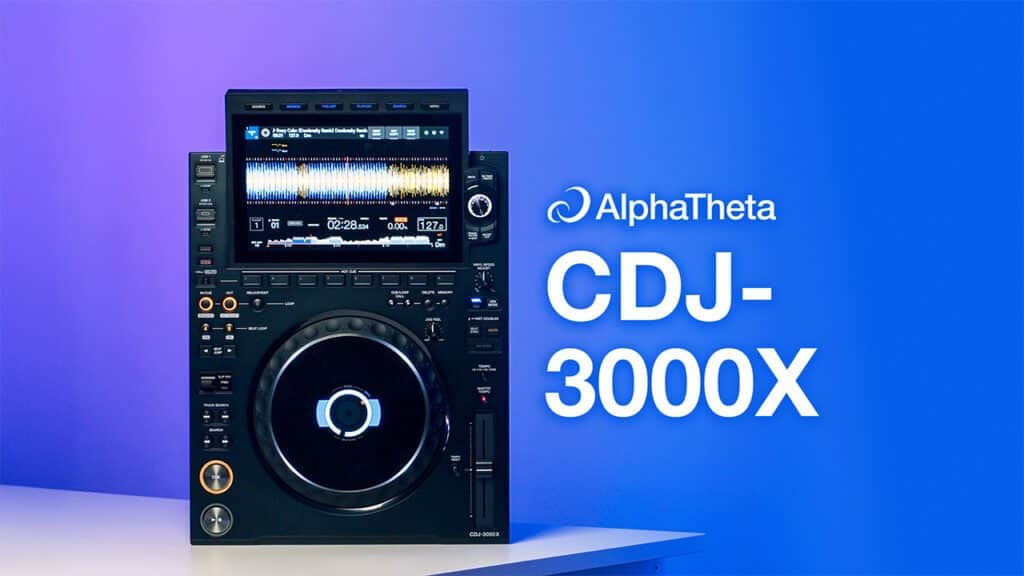
The CDJ has always been the centrepiece of the club booth. From CDs to USBs, every generation has reflected how DJs access and manage their music. The new AlphaTheta CDJ-3000X is the latest step in that journey, and yes, this is the first CDJ model to carry the AlphaTheta name rather than Pioneer DJ.
It’s not just a new name and a couple of minor tweaks going on here, though. Once you dive a bit deeper into this thing, it becomes clear it’s fixing some (but not all) of the issues we had with the last model and it feels like a generally more modern, high tech bit of kit.
So let’s break down what’s new compared to the CDJ-3000 and whether this new flagship is worth the upgrade.
CDJ-3000X Video Review
Design & Build
Key changes:
-
Stripped-back faceplate with less print for a cleaner look
-
Matte aluminium top and darker accents give a more premium finish
-
Wider jog wheel tension adjust with a greater range
-
Rebuilt Play and Cue buttons built for heavier use
-
USB-C port added on top; SD card slot removed
At first glance, the CDJ-3000X looks almost identical to the 3000, and that is no bad thing. Every button is where you’d expect it to be, which means anyone used to playing on CDJs will feel right at home.
Look a little closer and you start to notice the changes. The faceplate has been stripped back with less print across the surface, removing things like the markers on the pitch faders. It’s a look we first saw on the XDJ-AZ, and, while it may not be to all tastes, looks quite modern and sleek. The finish altogether is also subtly more refined, with a matte aluminium top and darker accents that make it feel very premium and professional.
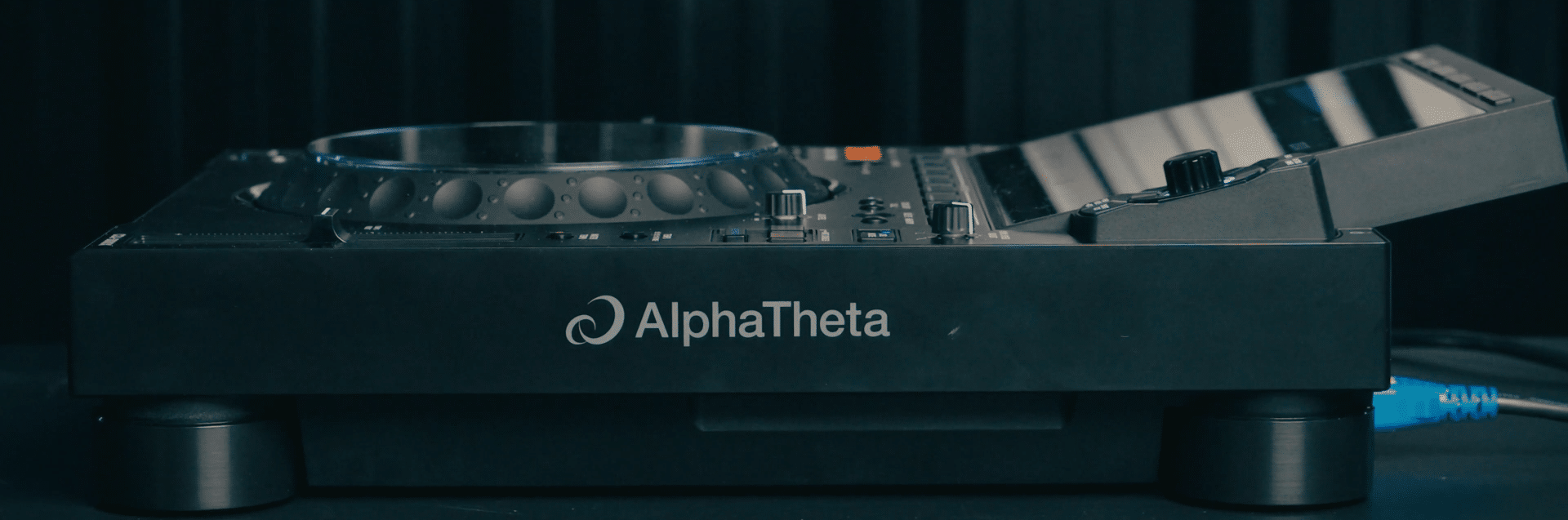
The jog wheel has been changed slightly too. The tension adjust now has more range, giving you more control over how light or heavy you want it. On the lightest setting it spins on for longer than before, while on the heavier side it grips more and doesn’t spin as freely. It’s not a massive change but it’s good if you’re a fan of massive spinbacks.
The Play and Cue buttons have been rebuilt as well. On the surface they look the same, but under the hood they’re designed to take far more punishment and survive many more hard presses before breaking, which will be welcome news for anyone who hammers the cue button when mixing.
One other big update is at the top of the unit. Next to the regular USB-A slot you now get a USB-C port, which makes sense, with USB C ports and drives now the industry standard across most tech. The flip side is that the SD card slot has gone, so if you’re still relying on SDs it’s time to migrate your library.

Screen & Browsing Experience
Key changes:
-
Larger screen fits more tracks and uses bigger, clearer fonts
-
Copy/paste track info directly into the search bar
-
Playlist editing on the deck (reordering now, full creation coming soon)
-
Option to hide track titles from prying eyes in the booth
-
Tracks are cached to memory so playback continues even if USB or Wi-Fi is interrupted
-
Global Tag List pre-downloads streaming tracks (up to 40–50 stored)
The most obvious update that first hits you when you see the 3000X is the screen. It has grown to 10.1 inches and the difference is clear the moment you start browsing. As far as we can tell it’s the same you’ll find on the XDJ-AZ and it’s basically like having a full-size iPad stuck to the top of each CDJ, both in terms of size and quality. It is not just about size though, it is about what you can do with it. You can see more of your playlists at once, the font size is bigger, and the overall layout feels cleaner than before.
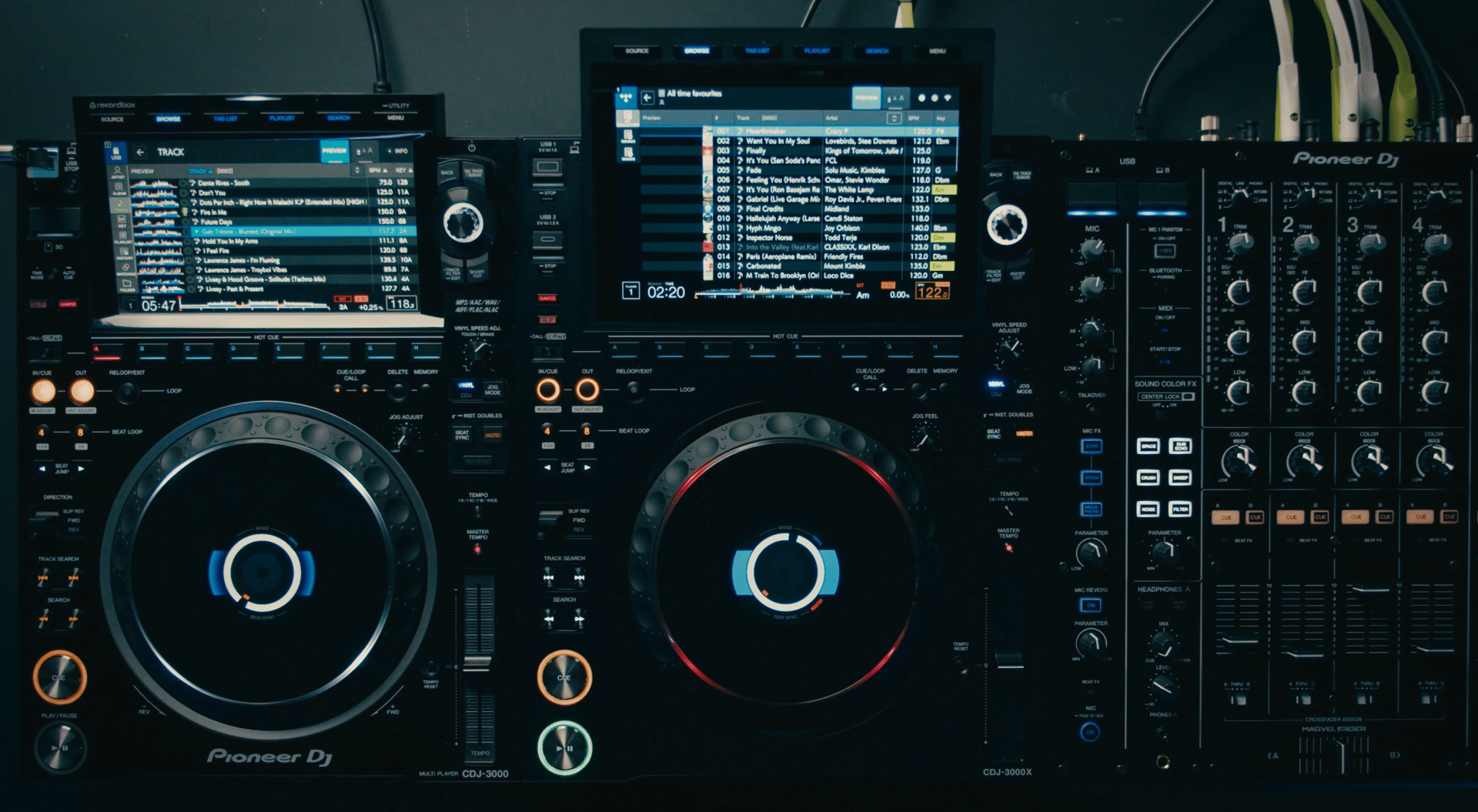
Overall, browsing and loading tracks just feels noticeably smoother and faster. This is both in terms of speed and a few handy UI changes. For example, you can now hold down text anywhere on the screen and paste it directly into the search bar, which makes digging for specific artists or tracks much faster than typing everything out.
Another big shift is playlist control, as, for the first time, you can edit playlists directly on the player. At launch that means reordering tracks, and AlphaTheta has confirmed that the ability to create entirely new playlists on the CDJs themselves is coming in a future update.
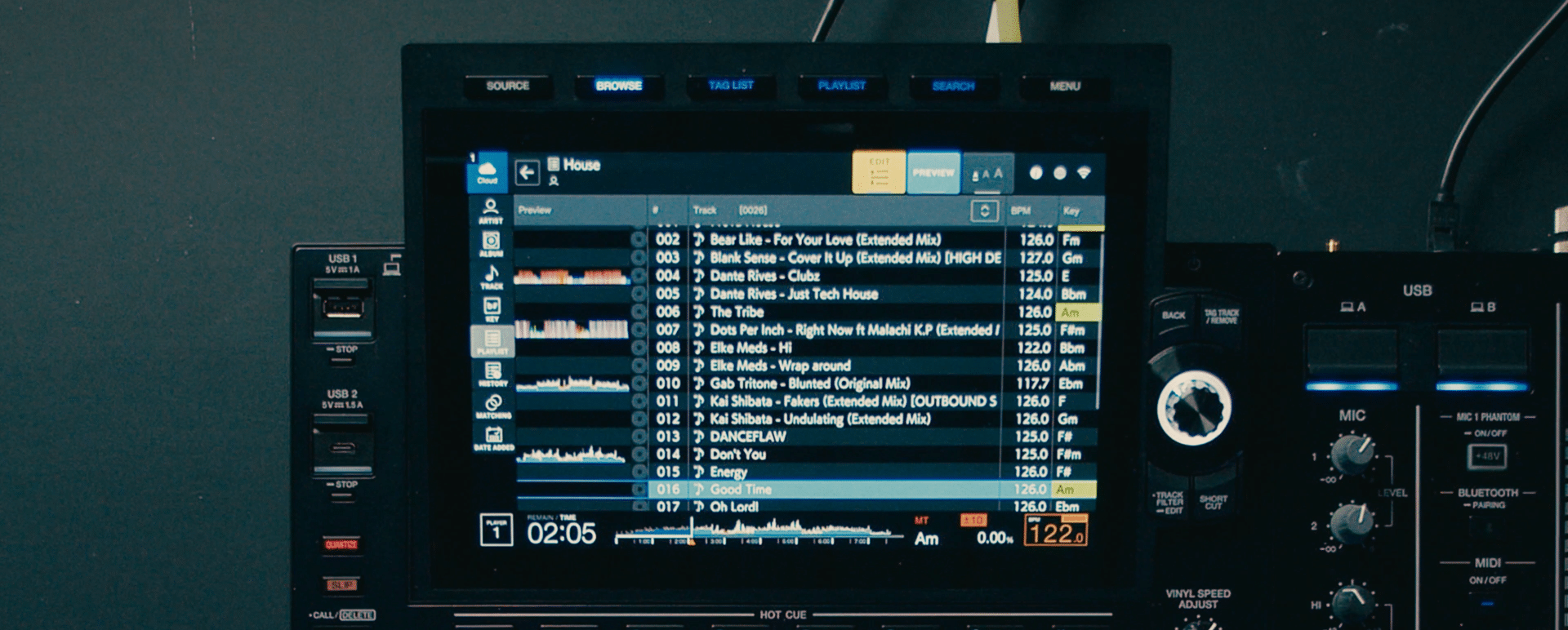
The caching system is another huge step forward. Whenever you load a track, whether it is from a USB or a streaming service, the player immediately begins caching the entire file into its memory. You see a red bar moving across the waveform as it fills. Once that bar has reached the end the track is fully cached, meaning it will play right through even if the USB stick is pulled out or the Wi-Fi drops.
For streaming, it goes even further. If you tag a track into your Global Tag List, the CDJ downloads it in the background so that by the time you call it up it is ready to go instantly. AlphaTheta claims this should be able to store about 40-50 MP3s but don’t specify an actual storage capacity.
There’s one new addition that’s been one of the most requested and yet most controversial features. You can now hide track titles if you have people looking over your shoulder in the booth. We won’t get into all the arguments over gatekeeping here but clearly this is something a lot of people were asking for.

Connectivity & Cloud Features
Key changes:
-
Built-in Wi-Fi for quicker setups (LAN still available for stability)
-
NFC touchpoint for instant login with rekordbox app
-
QR code login as an alternative option
-
Single Sign-On links all accounts in one step
-
Streaming support at launch: TIDAL and Beatport
-
Dropbox and Google Drive via rekordbox CloudDirectPlay
This is the first CDJ that really feels like it has been built for a digital, streaming-first world. There’s now built-in Wi-Fi, which means you no longer need to rely on a wired Ethernet connection to get online, which always felt like a bit of a relic of the past. If you do want the stability of a wired connection, the LAN port is still there, but for most setups connecting wirelessly is quick and should be fine.
Logging in is now far easier too. At the front of the player there is an NFC touchpoint. Just hold your phone against it, with the rekordbox app installed, and it instantly signs you into your AlphaTheta account and all your linked services. Or you can just scan a QR code on the screen instead. Either way, you should be able to get into your streaming accounts within seconds of getting in the booth with one of these units.

Once you are signed in, all of your linked services appear straight away thanks to Single Sign-On. Streaming platforms like TIDAL and Beatport are supported at launch, and if you’re using rekordbox CloudDirectPlay you can also pull in music from Dropbox or Google Drive. It all shows up in the same place so you can jump between them without having to re-authenticate. The big omission is Apple Music which is odd as it’s available in rekordbox and on a number of other devices like the XDJ-AZ. It may well arrive in a future update but at launch, it’s not here.
The caching system is a huge step forward, too. Any time you load a track, whether from USB or streaming, the player immediately starts caching the full file to memory. That means the track will play right through even if the internet drops or the USB stick is pulled out. For streaming sources you can also tag tracks into your Global Tag List, and the player will quietly download up to 40 or 50 of them in the background so they are ready to load instantly when you need them.
Performance Features
Key changes:
-
Gate Cue: Instead of jumping and running, the sound only plays while you hold the pad. This is great for chopping vocals, drum hits, or tone play.
-
Smart Cue: The cue button links to the last Hot Cue you hit (and changes colour to match), effectively giving you a stutter cue anywhere in the track. This fixes one of the big complaints about the CDJ-3000, which would always jump back to the original start point and made proper cue-juggling impossible. James Hype even refused to use 3000s because of that limitation. On the 3000X, the behaviour is finally corrected.
-
Hot Cue Preview: Scroll the waveform in your headphones and drop cues while the track is playing, locked to the grid so you’re not guessing.
-
Grid editor: Halve or double BPMs, expand or shrink grids, and shift them around more precisely on the deck itself.
With any new CDJ, the most important thing is what it’s actually like to perform on. Luckily, AlphaTheta have given us some important updates here as well.
The headline update is Gate Cue. Instead of jumping to a Hot Cue and letting it run, the sound only plays while you hold the pad. Let go, and it stops instantly. That might sound simple, but it means you can chop vocals, drum hits or little phrases like you would on a sampler. For DJs who love finger drumming or tone play, this is now much more doable on a CDJ.

Next is Smart Cue. With it switched on, the Cue button links to the last Hot Cue you triggered, and the button even changes colour to match. It basically turns the Cue into a stutter button for any point in the track, not just your main start point. This might sound minor, but it fixes one of the big complaints about the CDJ-3000: the Cue button would always jump back to the original start point, which made proper cue-juggling impossible. James Hype even refused to use 3000s because of that limitation. On the 3000X the behaviour is finally corrected.
Hot Cue Preview lets you can scroll through the waveform in your headphones and drop cues while the track is playing, locked to the grid so you’re not guessing. It’s perfect for mapping out a track mid-set without stopping the music.
Beyond cues, the grid editor has been improved so you can halve or double BPMs, expand or shrink grids, and shift them around more precisely. If you play genres like drum and bass where tracks often analyse wrong, being able to fix that on the deck itself could be a life saver.

One big feature we were expecting to see added to this new CDJ is stems. Sadly though, at launch, they’re nowhere to be found. This is surprising as pretty much every new bit of gear has some sort of stems feature, and with the new update to the Denon Prime 4+, we’ve seen it’s possible on standalone gear. There may well be a firmware update at some point however, so keep an eye out for any news there.
Sound Quality
Key changes:
-
New ESS DAC improves clarity and reduces noise
-
Redesigned power supply delivers tighter bass and smoother highs
-
Tuned with input from pro sound engineers on real club systems
The 3000X brings a new ESS digital-to-analogue converter and a redesigned power supply for a cleaner signal and less noise. On paper, that means you’ll hear a tighter, punchier low end and smoother, less fatiguing highs. AlphaTheta has also tuned the player with input from sound engineers in real club systems.
In practice, the difference is most noticeable on big professional sound systems where these sorts of details really come out. If you’re mainly playing at home or on smaller speakers, it’s not something that will transform your experience compared to the previous model, but for pro clubs and festivals this kind of thing can make a big difference.
CDJ-3000X vs CDJ-3000: Is It Worth It?
Compared to the CDJ-3000, the CDJ-3000X isn’t exactly reinventing the wheel, but it does feel like the most polished and modern CDJ to date. Things like the improved screen, browsing, and connectivity all make it just feel like a much smoother, easier to use experience. And the addition of a few new features like the extra cue modes, give it more performance options and now let you pull off some of the tricks that were previously only doable on controllers. If you’ve already got a set of CDJ-3000s, these new features may not be a dealbreaker to immediately upgrade as there’s not much new here that feels truly essential, it’s more about modernising the unit with some nice new tools and a slighter better design.
It’s by no means perfect, though. The omission of stems feels like a real missed opportunity, albeit one that could be rectified down the line. No Apple Music support seems like another let-down although again it could just be teething issues at launch. The other drawback of this new model is the price.
At £2,399 / $2,999 / €2,799, it naturally sits at the very top of the DJ player market. It’s a jump up from the $2,169 retail price of the CDJ-3000 but that’s to be expected given inflation and the addition of the new features. The only direct competitor to this would be the Denon SC6000 at £1,499. Feature wise, they may be comparable and the Denon even offers a few extra things like built-in storage support and dual-layer playback. However, whether you like it or not, the CDJ is the default gear for pro venues and the only real option you’re likely to find in almost all clubs.
See how the CDJ-3000X stacks up against the Denon SC6000 in our full comparison article.
For clubs and festivals, that makes the choice simple. This is the new standard player and will define the booth for years to come. Whether it’s worth the direct upgrade from the CDJ-3000s will come down to budget, how demanding your DJs are for the new tools and how fussy you are about pristine sound.
For personal use though, it’s worth asking what you really need. If money is no object, this is the pinnacle of modern DJ gear and what most DJs will dream of owning. However, if you want the full club feel but don’t need separate players and a mixer, the XDJ-AZ delivers much of the same experience in an all-in-one at a lower overall cost.
CDJ3000X Technical Specs
| Feature | Details |
|---|---|
| Compatible Software | rekordbox for Mac/Windows, rekordbox for iOS/Android, Serato DJ Pro (license needed), djay Pro (license needed) |
| Frequency Response | 4 Hz – 40 kHz |
| S/N Ratio | 115 dB |
| Total Harmonic Distortion | 0.0018 % |
| Outputs | Analog: RCA × 1 Digital: Coaxial × 1 |
| USB | USB Type-A × 1 (top, for USB drive) USB Type-C × 1 (top, for USB drive) USB Type-C × 1 (rear, for PC/Mac connection) |
| Maximum Dimensions (W × D × H) | 344.6 × 490.4 × 130.1 mm / 13.6″ × 19.3″ × 5.1″ |
| Weight | 6.0 kg / 13.2 lbs |
| Accessories | Power cord, Digital audio cable, Analog audio cable, LAN cable, Quick Start Guide, Precautions for Use, Warranty (selected regions) |
Take your CDJ skills to the next level
If you want to take the step up to proper pro gigs in clubs and festivals, you’ve got to know your way around a set of CDJs. But if you want to take things to the next level and really show off your mixing skills, you need to know some of the CDJ tricks the pros use. That’s why we’ve just out together a free crash course on CDJ skills where you’ll learn quicker ways to find and manage music, creative tricks with loops and beat jumps, smarter transitions, and ideas for building stronger club sets.
Yes. The CDJ-3000X adds a bigger screen, Wi-Fi, NFC login, playlist editing, smarter Hot Cue modes, and track caching. The CDJ-3000 is still cheaper, but less future-proof.
No. Unlike some newer controllers and standalones, the CDJ-3000X doesn’t include Stems at launch. It may be possible in a future update, but nothing has been confirmed.
The price is £2,399 / $2,999 / €2,799, compared to about $2,169 for the CDJ-3000 and $1,499 for the Denon SC6000.
At launch, the 3000X supports TIDAL and Beatport, along with Dropbox and Google Drive via rekordbox CloudDirectPlay. Apple Music isn’t supported yet.
Yes. The player supports Serato DJ Pro over HID connection, though you’ll need a license. It also works with rekordbox and djay Pro.
For most bedroom or casual DJs, the XDJ-AZ or even the Denon Prime 4+ will be better value. The CDJ-3000X is designed as the flagship pro club player, making it the obvious choice for venues, festivals and touring DJs.
Almost certainly. Clubs and festivals that upgrade will default to the CDJ-3000X as their standard, just like they did with the CDJ-3000 before it.
Man, look at all of them “new” features Denon has been doing for 5 years…
I wonder if stems will
Come via the eagerly awaited next gen mixer? Would make sense then have channels isolated, FX etc per stem and/or channels?
Here’s hoping🤞
Very disappointing.
What could have been a game changing upgrade, falls far short.
Needs Stems to be a step up from the XDJ-AZ and FLX10.
Given then the CDJ3000 has now been withdrawn, users have no choice but to buy the very expensive CDJ3000X.
In my opinion, move the performance pads to the front, add Stems, and give us back Pioneer DJ name.
And all at the same price point of the CDJ3000.
Come on Pioneer Alpha DJ Theta Denon !!!!
The cue problem could of been fixed with with firmware update on og cdj 3000.
No stems (not even ability to just play them using third party to separate them beforehand like how the prime 4+ does it)
A decent controller with full software licence of choice included + macbook air/ipad would be around same price as one Cdj3000X and would have far more functions.