
Beatport has just confirmed that Beatsource will be fully merged into its platform, bringing these two huge DJ platforms together into one single service.
These are two of the biggest names out there in the DJ music world, but for a while, they’ve started to overlap, and there’s been a fair bit of confusion between the two. Beatport has traditionally focused on electronic music, while Beatsource was built more around the commercial open-format styles. Combining both of these together gives you access to a huge library that should cover all the bases of whatever music you’d want.
If you use Beatsource, there are a few things worth knowing before you start the transfer.
What DJs need to know
- Beatport is merging Beatsource into its main platform
- Beatsource users will be invited to transfer their accounts over the coming months
- Playlists, purchase history and subscriptions will transfer to Beatport
- Download and back up any purchased tracks before migrating
- Cue points, loops and beat grids may depend on DJ software support
How the migration will work
The migration is being rolled out in phases, so you probably won’t need to do anything straight away. When your account becomes eligible to migrate, you’ll need to log in to your Beatsource account and start the transfer yourself.
Once the transfer is complete, your Beatsource account will be closed, and everything will be managed through Beatport instead. If you don’t initiate the transfer before the migration window closes, Beatport says remaining accounts will eventually be moved automatically.
Beatport expects the migration process to be completed by early May.
What transfers across
Beatsource has tried to make things as straightforward as possible and keep the move nice and smooth. Most of your existing Beatsource setup and details will come across with you when you migrate.
That includes your:
-
Playlists
-
Purchase history
-
Login details
-
Active streaming subscription
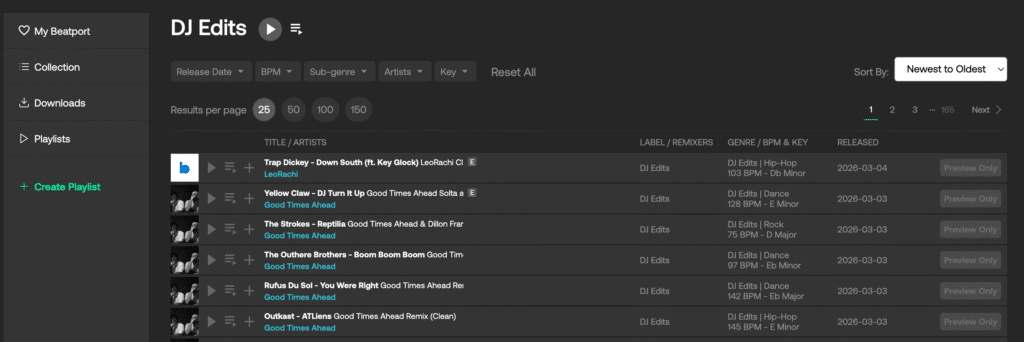
Your purchase history will show up on Beatport as a playlist called “Beatsource Purchased Tracks.”
Beatport also says it’s working with partners including Serato, rekordbox and VirtualDJ to carry over all your metadata, like cue points and beat grids. That means that all your tracks should behave the same inside your DJ software after the move.
Beatport Streaming will also continue to work directly with compatible DJ hardware, including AlphaTheta units like the CDJ-3000X, OMNIS-DUO, OPUS-QUAD and XDJ-AZ.
Before you migrate
Before you start the transfer, it’s worth checking whether your DJ software already supports the migration. If it doesn’t, and you migrate too early, things like your cues and grids might not transfer properly.
You should also download any tracks you’ve purchased through Beatsource. Once your account moves to Beatport, those purchases will not be available to re-download, so make sure you have local copies saved.
It’s also worth checking your account for anything sitting in your Cart or Hold Bin as these won’t be transferred, so you’ll need to either purchase them or add them to a playlist. Similarly, you’ll also need to move any Offline Library tracks into a playlist before you start the migration.
Once the transfer is complete, you’ll no longer be able to log in to Beatsource.
Subscription changes
For most users, Beatsource subscriptions will move straight over to equivalent Beatport plans, without you having to do anything extra.
The entry-level Beatsource streaming plan, currently priced at $12.99 per month, will become Beatport’s Advanced plan at $15.99 per month. Beatport says the current price will be honoured for the first three months after migration.
If you’re on the Beatsource Pro+ plan, the price stays the same at $34.99 per month. Annual subscribers will not see any changes until their plan renews.